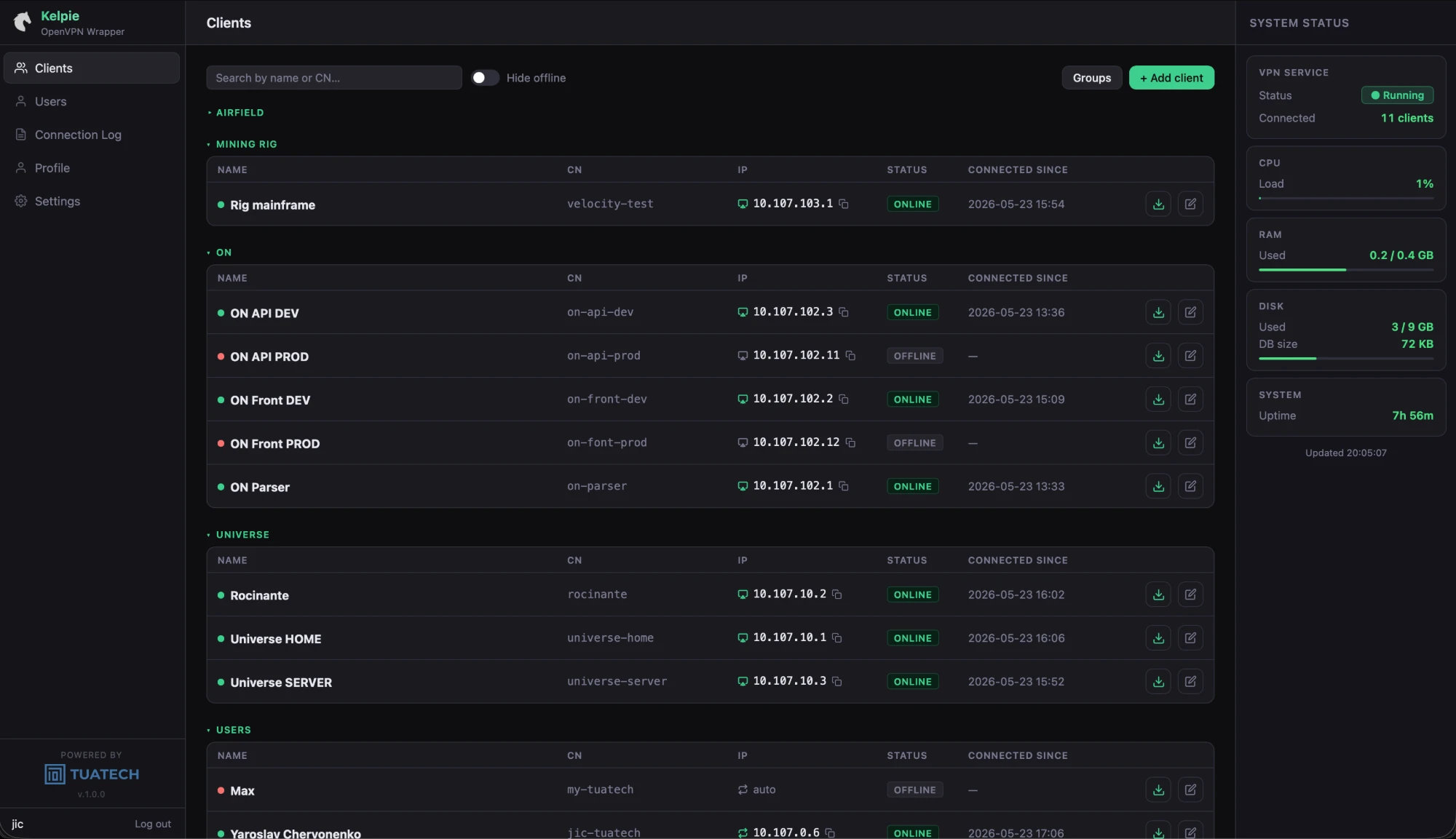
Client management
Create, edit, and revoke VPN clients from a clean web interface. Assign each client to a group, set a static IP, and generate a .ovpn config file ready to distribute — no terminal required.

TUATECH PRODUCT Available
Self-hosted OpenVPN management UI for teams — client control, access roles, and system monitoring in one place.
Kelpie gives your team a clean web interface to manage OpenVPN clients without touching config files. Add users, assign groups, set static IPs, download .ovpn profiles, and track who connected and when — all on your own infrastructure, with no cloud dependency, no subscriptions, and no vendor lock-in.
Kelpie wasn't designed as a product from the start — it was built because we needed it.
We manage infrastructure for teams that operate remote systems: field hardware, edge servers, equipment spread across sites. Every time someone needed VPN access added or a certificate expired, it meant an SSH session and config files. That's fine if you're a sysadmin. It's a bottleneck if you're not.
The fix wasn't to replace OpenVPN. It's a proven protocol that works exactly where we need it. We just wanted a thin web layer — lightweight, self-contained — so that access management didn't require terminal knowledge from everyone involved.
Three steps from a blank Ubuntu server to a fully managed VPN.
Run a single bash script on Ubuntu 22.04+. Kelpie sets up OpenVPN, Nginx, SSL via Let's Encrypt, and the web UI — everything ready in one command.
Create clients, assign them to groups, set static IPs, and download ready-made .ovpn profiles. Set user roles with per-permission granularity — no config file editing required.
Watch live connection status, review the 7-day connection history that auto-tracks all events, and monitor server health — CPU, RAM, disk, uptime — all refreshed every 15 seconds.
Three screens that cover daily operations — clients, settings, and access control.
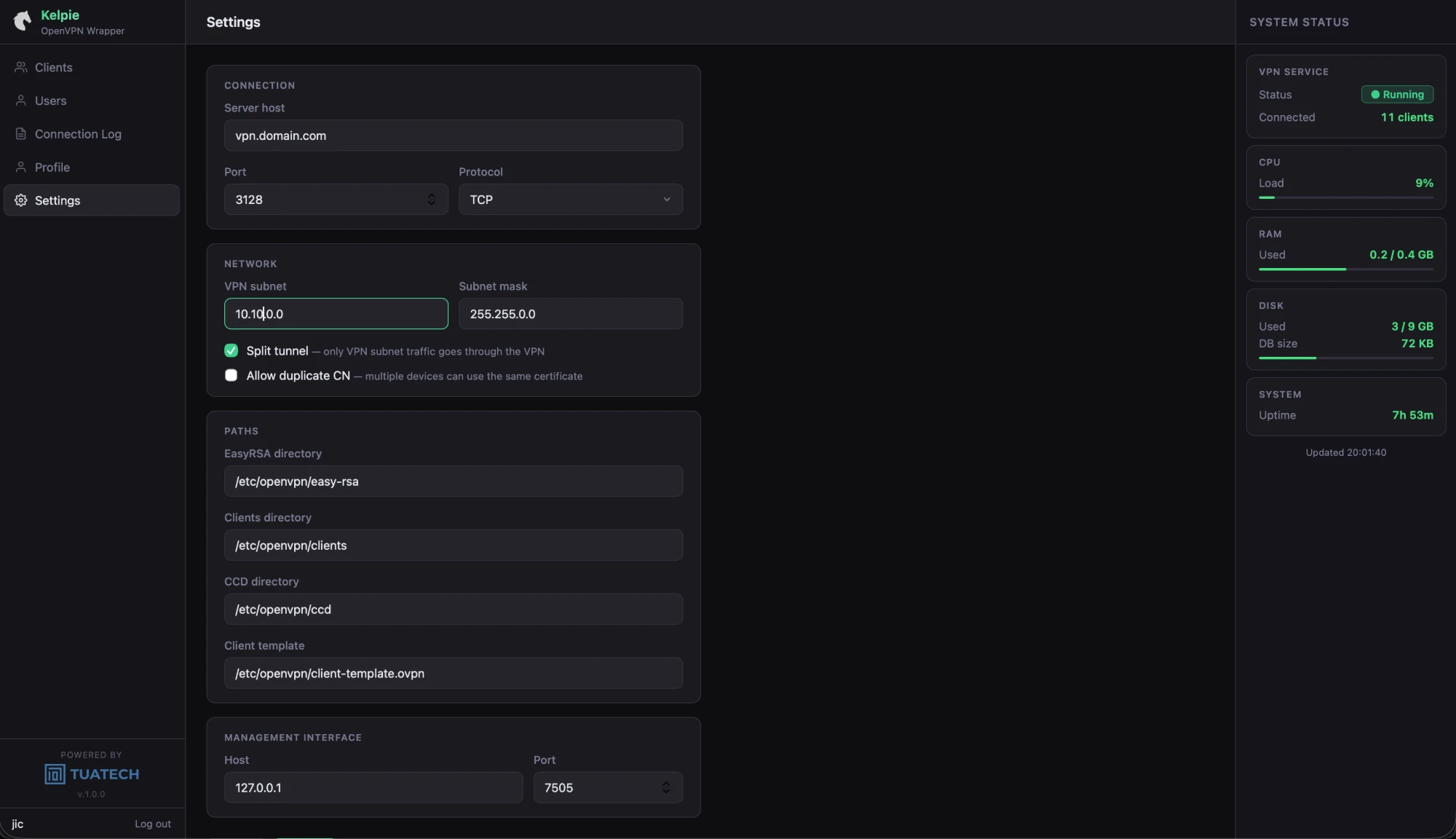
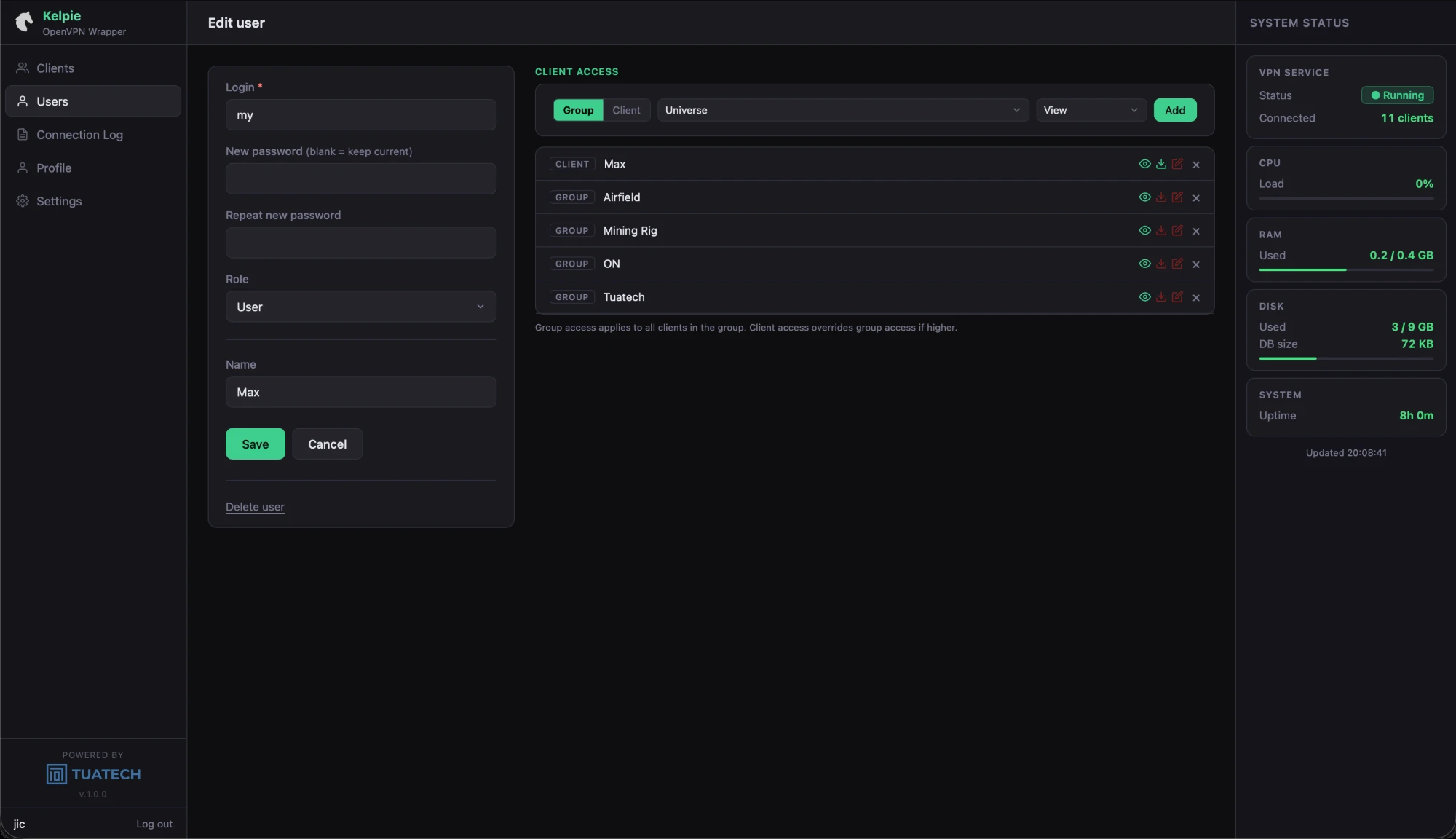
Everything a small team needs to run OpenVPN without touching the terminal again.
Create, edit, and revoke VPN clients from a clean web interface. Assign each client to a group, set a static IP, and generate a .ovpn config file ready to distribute — no terminal required.
Admin and User roles with per-permission granularity — control exactly what each account can see and do without exposing the full management interface.
Every connection and disconnection is logged automatically. Seven days of history, searchable and filtered by client or group — always available without any manual setup.
A live sidebar shows CPU, RAM, disk usage, and server uptime — refreshed every 15 seconds. Know your server is healthy at a glance, without logging in via SSH.
HTTPS out of the box. The installer configures Nginx and obtains a TLS certificate automatically — your management interface is secured from first boot.
Runs on your own server, talks to nothing external. SQLite for storage, no third-party accounts, no API keys, no data leaving your infrastructure.
A single bash script handles the full stack: OpenVPN, PHP, SQLite, Nginx, and SSL. Ubuntu 22.04+ ready. No Docker, no Kubernetes, no orchestration overhead.
The client list shows who is connected right now, their assigned IP, and how long the session has been active — auto-refreshing so the view stays current.
Generate and download ready-to-use OpenVPN configuration files for any client in one click. Works with all standard OpenVPN-compatible clients on any platform.
Five things that matter before you decide to self-host.
Get in touch to learn more about Kelpie, discuss your use case, or request access to the installer.